
• FEATURES
  • PACKAGES
  • ADDONS
  • SUPPORT
  • BLOGS
Book a Demo Buy Now

Twillio Elastic SIP Trunk configuration with ICTBroadcast, the unified communications autodialer

In this blog, we have configured Twilio’s elastic sip trunk with ICTBRoadcast that gives our customers to avail features of both platforms same time, work with the Twilio platform and ICTBroadcast. Twilio offer a SIP trunking option to wholesale providers working with SIP compliant terminations, following you will find details about Twilio sip trunk

SIP Trunking

SIP Trunking API’s

Twilio SIP Trunk pricing

Login into Twilio Portal

Click on Menu and select ELASTIC SIP TRUNKING
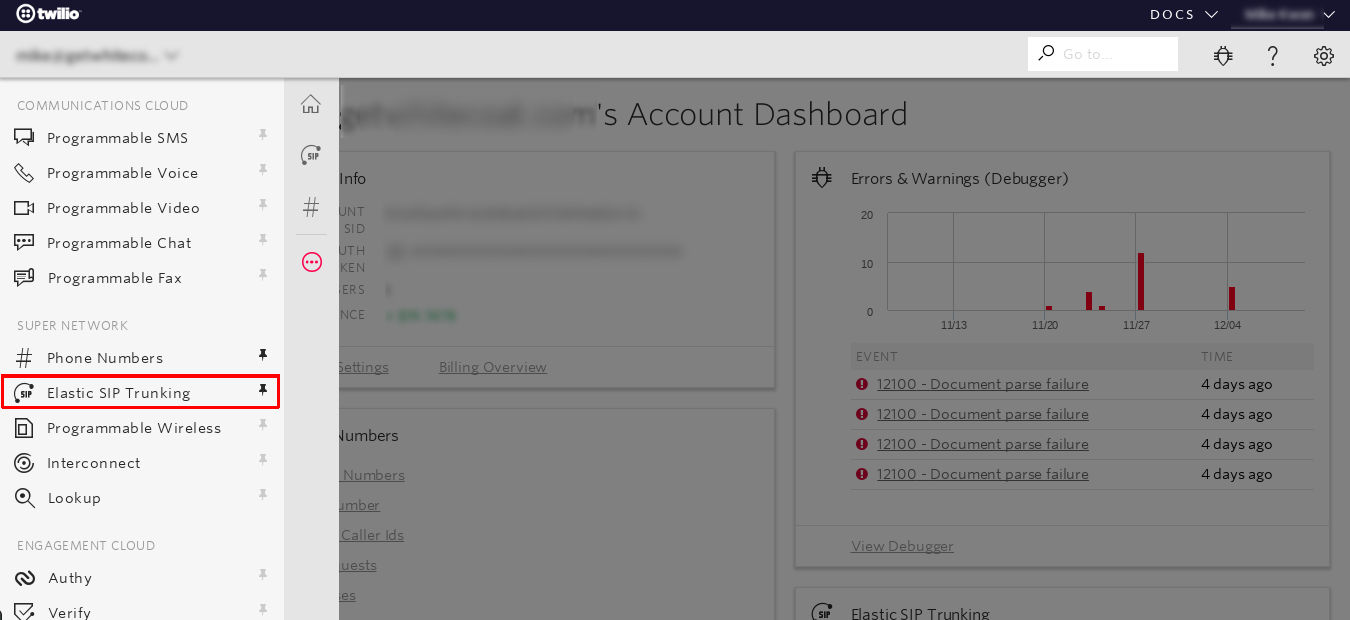
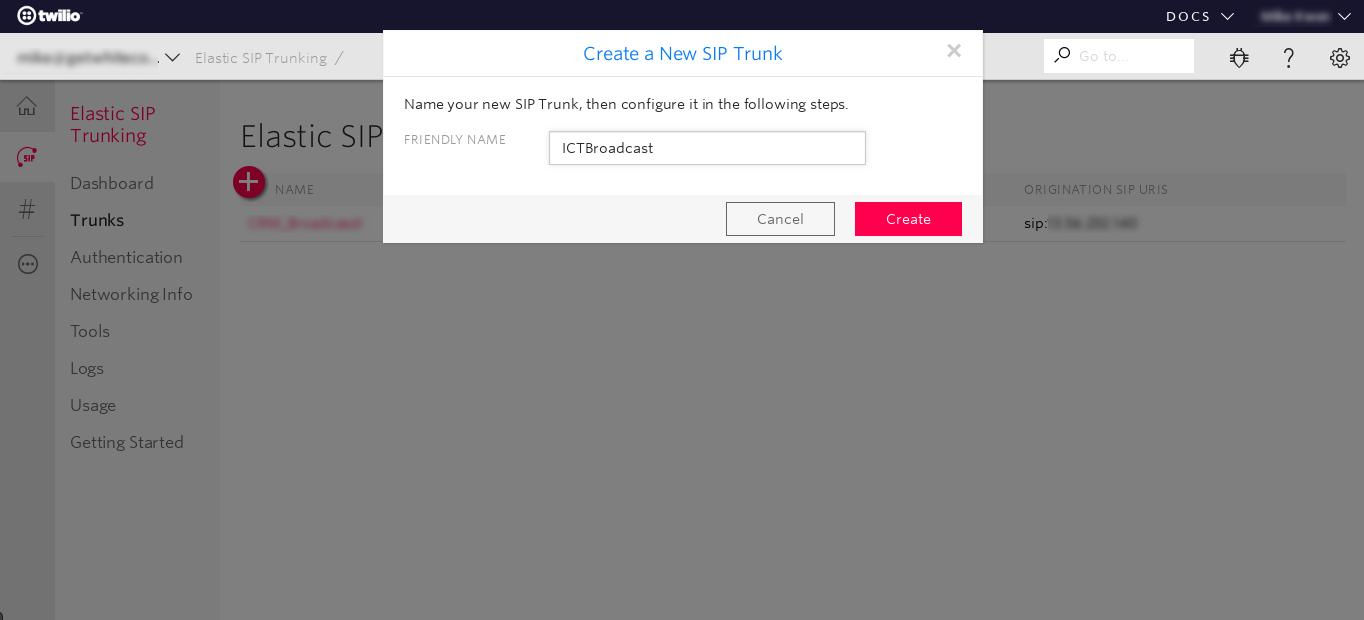
Click the Create SIP Trunk button, enter Friendly Name for the trunk and save it
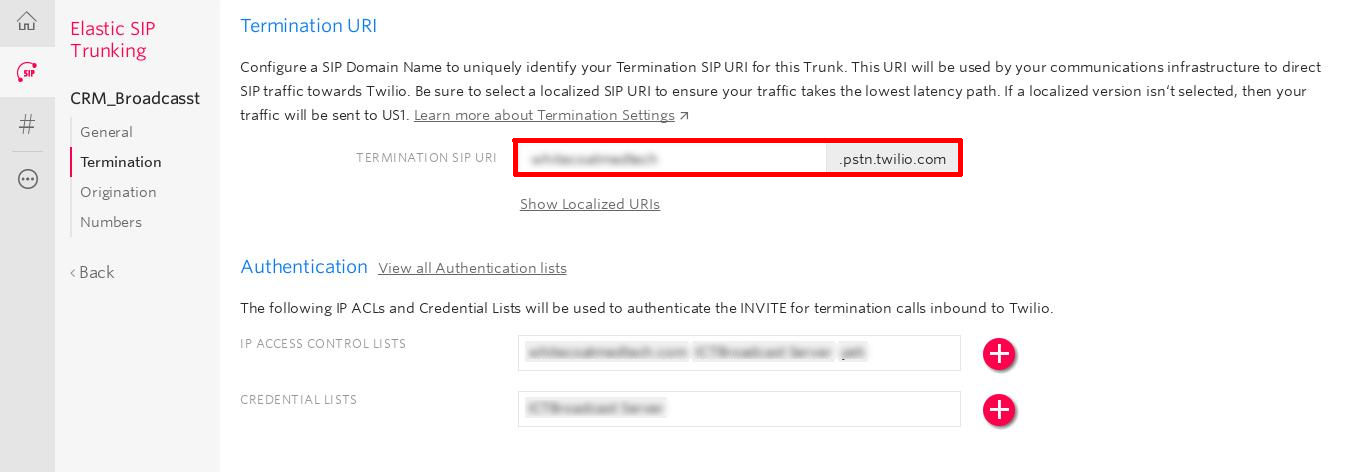
Click on the Termination tab, and choose a Termination SIP URI (you will use this when configuring the trunk in ICTBroadcast later)
Click Create IP Access Control List, and add the IP address
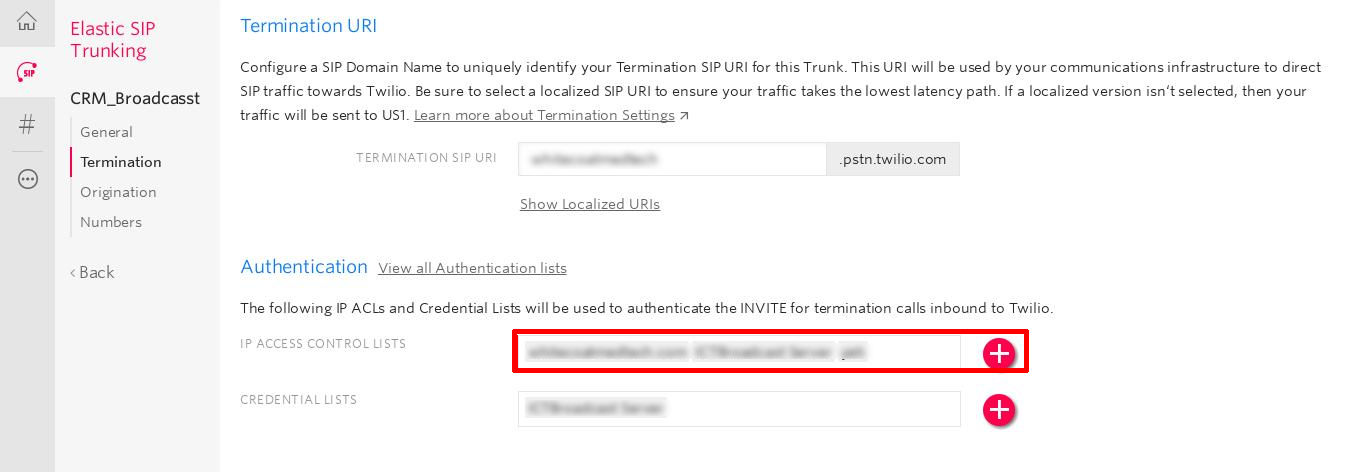
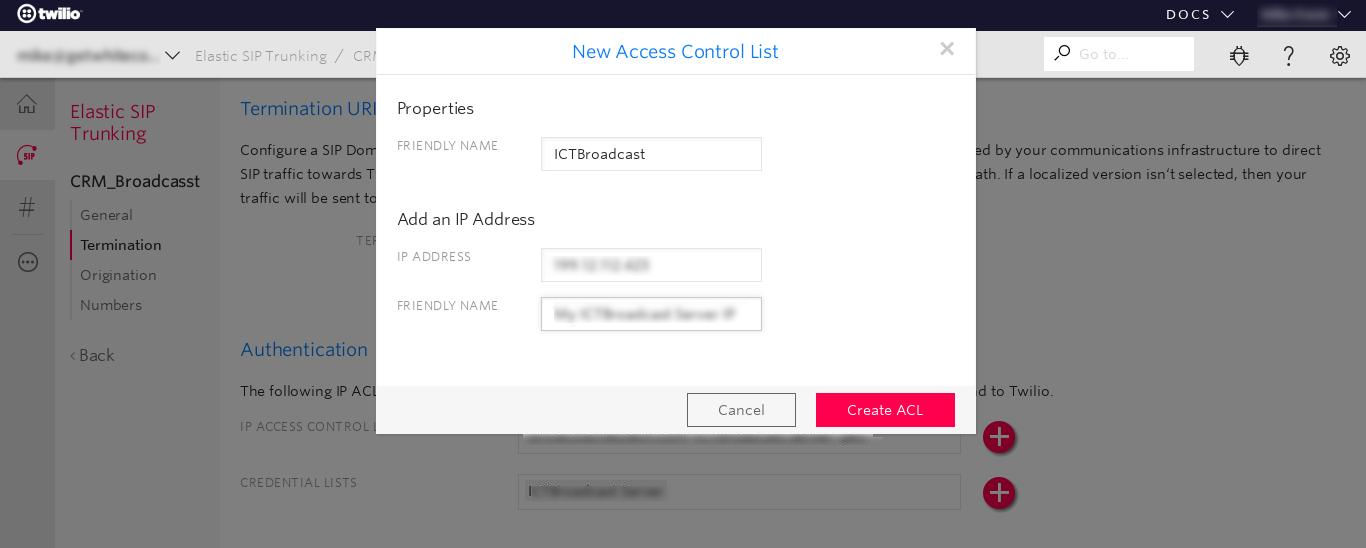
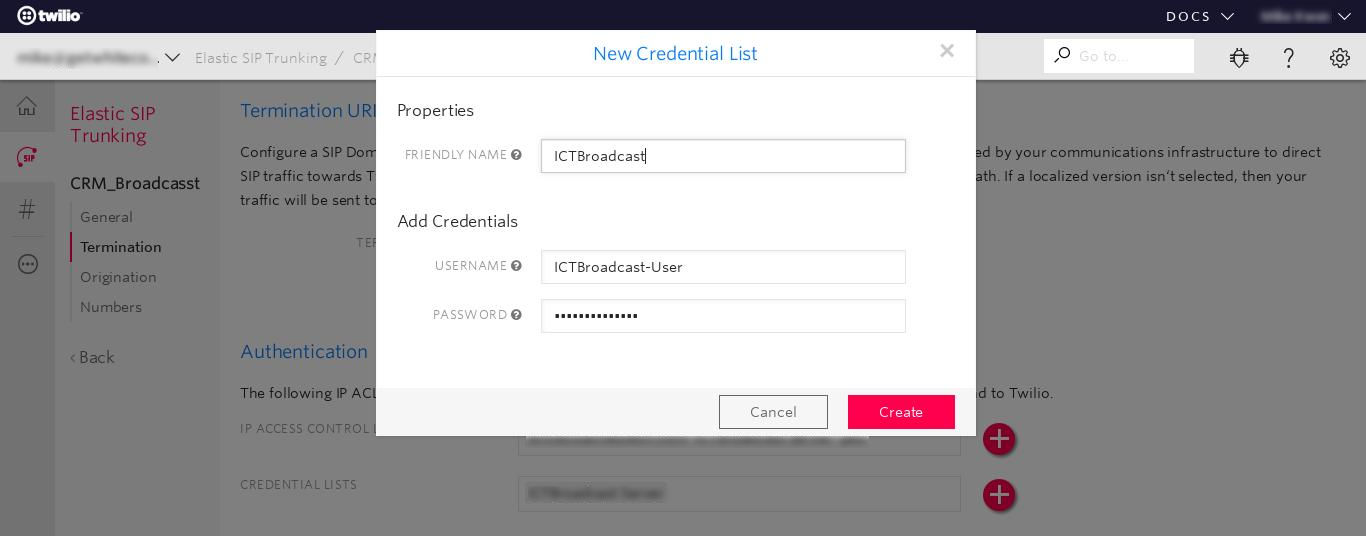
Click Create Credential List and enter username and password (you will use this when configuring the trunk in ICTBroadcast later) and save the termination configuration.
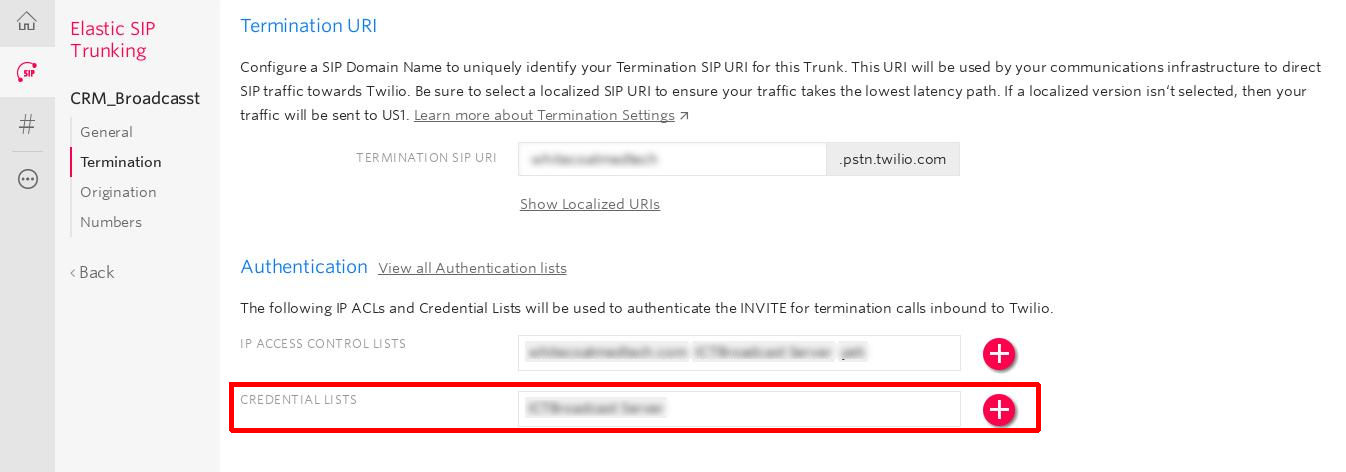
Now, log in as Admin in ICTBroadcast Portal, Goto to gateway menu under Administration menu, and click on add new gateway
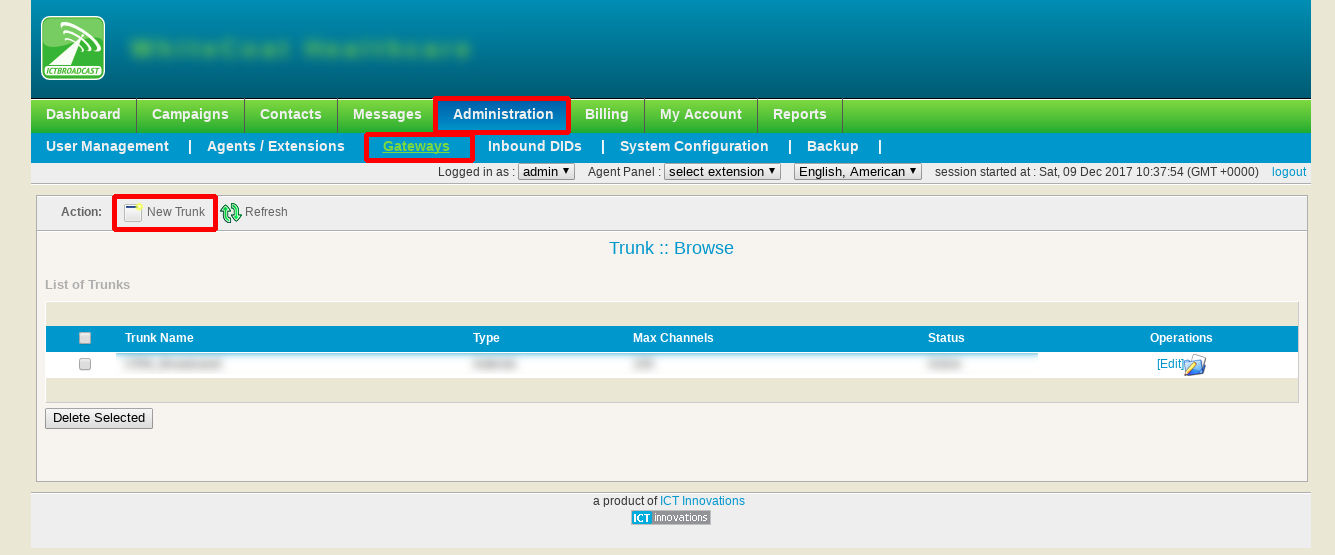


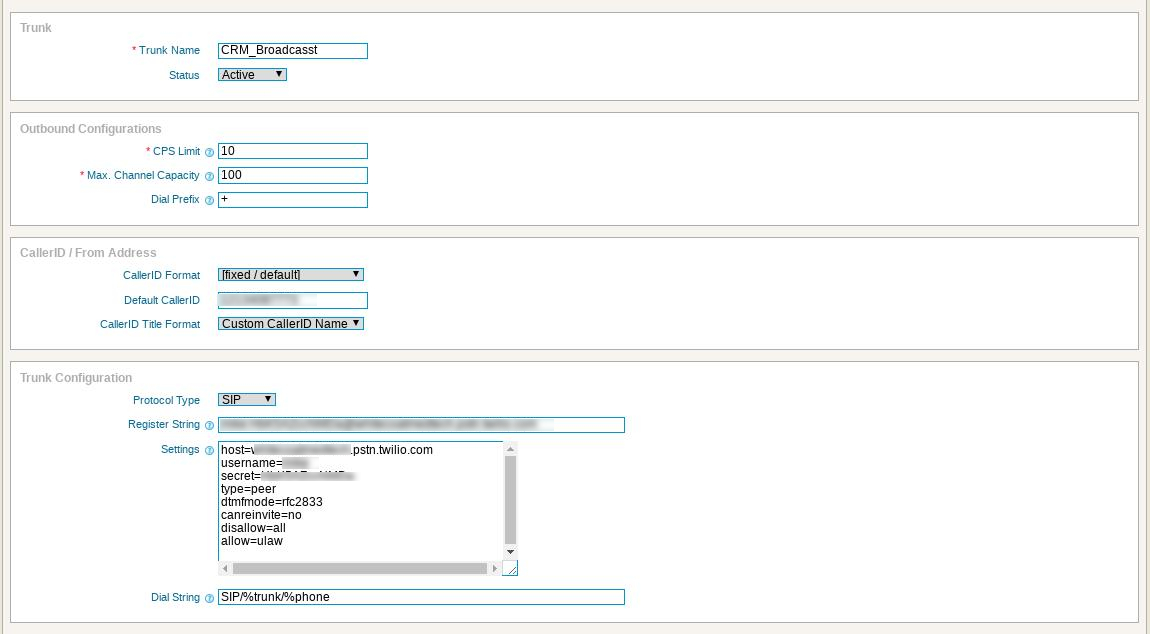
enter trunk name, add CPS and Channels limit, Dialing Prefix, Set outbound callerID, enter trunk configuration like following and save it

Configure the following settings:

Trunk Name: trunk name, such as Twilio
CPS Limit: depend on your Twilio Account
Channels: Depend on your Twilio Account
Dialing Prefix: + (please make sure from Twilio support)
Outbound CallerID: The full number in E.164 format
Protocol Type: SIP
Dialstring : Username:Password@*****.pstn.twilio.com


Peer details: replace host, username, and secret (password) with the details for your trunk:

host=*********.pstn.twilio.com
username=*****
secret=********
type=peer
dtmfmode=rfc2833
canreinvite=no
disallow=all
allow=ulaw
  • ICTAdmin’s blog

NAVIGATIONS

HOME

FEATURES

PACKAGES

ADDONS

SUPPORT

BLOGS

POSTS

Self-Hosted Auto Dialer Software: Own Your Stack, Cut Your Costs

May 31, 2026 | call center

Self-hosted auto dialer software cuts per-agent fees and keeps your call data in-house. Here’s how to pick an affordable, open source dialer.

Cloud Call Center Software: Best Open Source Options for 2026

May 19, 2026 | call center

Cloud call center software runs your calling operations from a remote server without on-premise hardware. Open source options give you the same features as expensive SaaS platforms — without the per-seat fees that kill margins at scale.

« Older Entries

ICT Projects

ICTFax

ICTCore

ICTDialer

ICTCrm

ICTContact

ICTSchool

ICTUstad

ICTRoshni

Copyright 2026 | All Rights Reserved

  • Follow
  • Follow
  • Follow
  • Follow
Award 1 Award 2
Ready to dial smarter

See predictive dialing in motion.

Spin up the live demo in 60 seconds — no signup, no credit card. Or book a guided walkthrough with our team.

Try Live Demo Book a Demo
ICTBroadcast

AI-powered, multi-tenant auto dialer & call center software for ITSPs and enterprises. Built on open-source Asterisk — trusted by 1,500+ businesses worldwide.

[email protected] Support & sales

Navigations

  • Home
  • Features
  • Packages
  • Addons
  • Support
  • Blogs

ICT Projects

  • ICTPBX
  • ICTFax
  • ICTCrm
  • ICTCore
  • ICTDialer
  • ICTContact
  • ICTUstad
  • ICTRoshni

Latest from the blog

  • May 19, 2026 · Call center
    Cloud Call Center Software: Best Open Source Options for 2026
  • May 9, 2026 · Call center
    ICTBroadcast SP Edition Now Includes REST API at No Extra Cost
  •  
    All posts →
Copyright © 2026 ICT Innovations. All Rights Reserved.