
Successful automated campaigns are not just about dialing numbers. They are about reaching customers at the right time. ICTBroadcast provides a powerful and flexible campaign scheduling system that allows users to define exactly when campaigns should start, pause, resume, and stop. With advanced scheduling controls and built-in timezone management, ICTBroadcast ensures that campaigns operate efficiently without disturbing customers during inappropriate hours. Learn more about ICTBroadcast
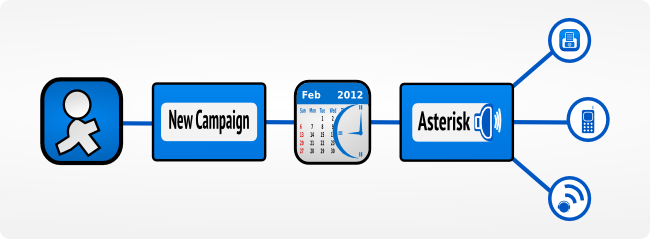
Scheduling allows users to control their campaigns and makes sure that a higher percentage of his/her customers respond to the automated calls. This also ensures that the auto-dialer does not disturb customers by calling them at night while sleeping or during office hours. ICTBroadcast also takes care of the timezone settings and makes schedules according to users’ timezone settings. The following is a brief description of campaign scheduling options:
Intelligent Start Options
ICTBroadcast allows users to define when a campaign should begin with the following options:
1) Immediately
The campaign starts automatically right after it is created and activated. This option is ideal for urgent alerts, emergency notifications, or time-sensitive promotional campaigns.
2) On Scheduled Time
Users can select a specific date and time for the campaign to start. Once configured, the system automatically launches the campaign at the defined schedule without requiring manual intervention.
This automation ensures operational efficiency and eliminates the need for constant monitoring.
Flexible Stop and Pause Controls
Controlling when a campaign ends is just as important as controlling when it starts. ICTBroadcast provides the following stop options:
1) When Done
The campaign automatically stops once all contacts in the list have been processed.
2) On Scheduled Time
Users can define a specific date and time to stop or pause the campaign, even if not all contacts have been called.
This helps manage dialing limits, system performance, and compliance requirements in different regions.
Weekly Scheduling
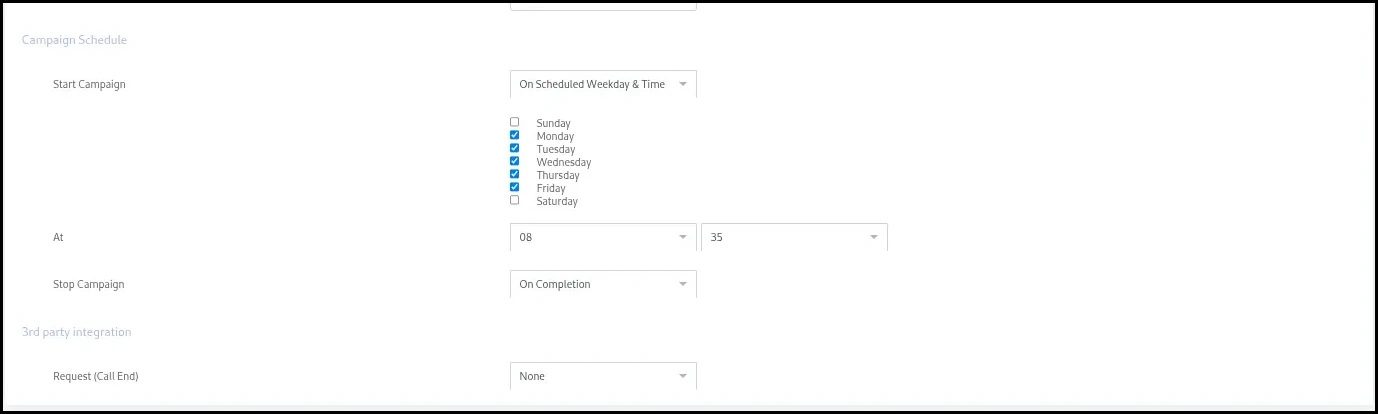
ICTBroadcast supports recurring weekly schedules, allowing campaigns to run on selected days of the week within defined time windows.
For example:
-
Run campaigns only Monday to Friday
-
Operate between 9:00 AM and 6:00 PM
-
Avoid weekends or holidays
This is especially useful for business-hour campaigns where customer availability is higher, and response rates are improved.
Specific Date and Time Scheduling
If a campaign is meant for a one-time event or special occasion, ICTBroadcast allows users to schedule it for a specific date and time.
This is ideal for:
-
Event reminders
-
Payment due notifications
-
Promotional launches
-
Appointment confirmations
The campaign will automatically execute according to the configured schedule and stop as defined.
Timezone-Aware Scheduling
ICTBroadcast automatically applies scheduling based on the user’s configured timezone settings. This is particularly useful for organizations running campaigns across multiple regions or countries.
By aligning campaigns with local time settings, the system ensures:
-
Calls are made at appropriate hours
-
Customers are not disturbed late at night
-
Compliance with local calling regulations