
ICTBroadcast is a web-based, multi-tenant Ai powered auto dialer software that provides dedicated web portals for Administrators and Users. It enables complete campaign management for voice, SMS, fax, and other communication channels within a single platform. Each tenant can independently create, manage, monitor, and execute multiple campaigns without affecting other tenants in the system. ICTBroadcast is designed to deliver full operational control, real-time monitoring, scalability, and centralized management for organizations handling multiple users, departments, or clients under one unified system. Learn more about ICTBroadcast
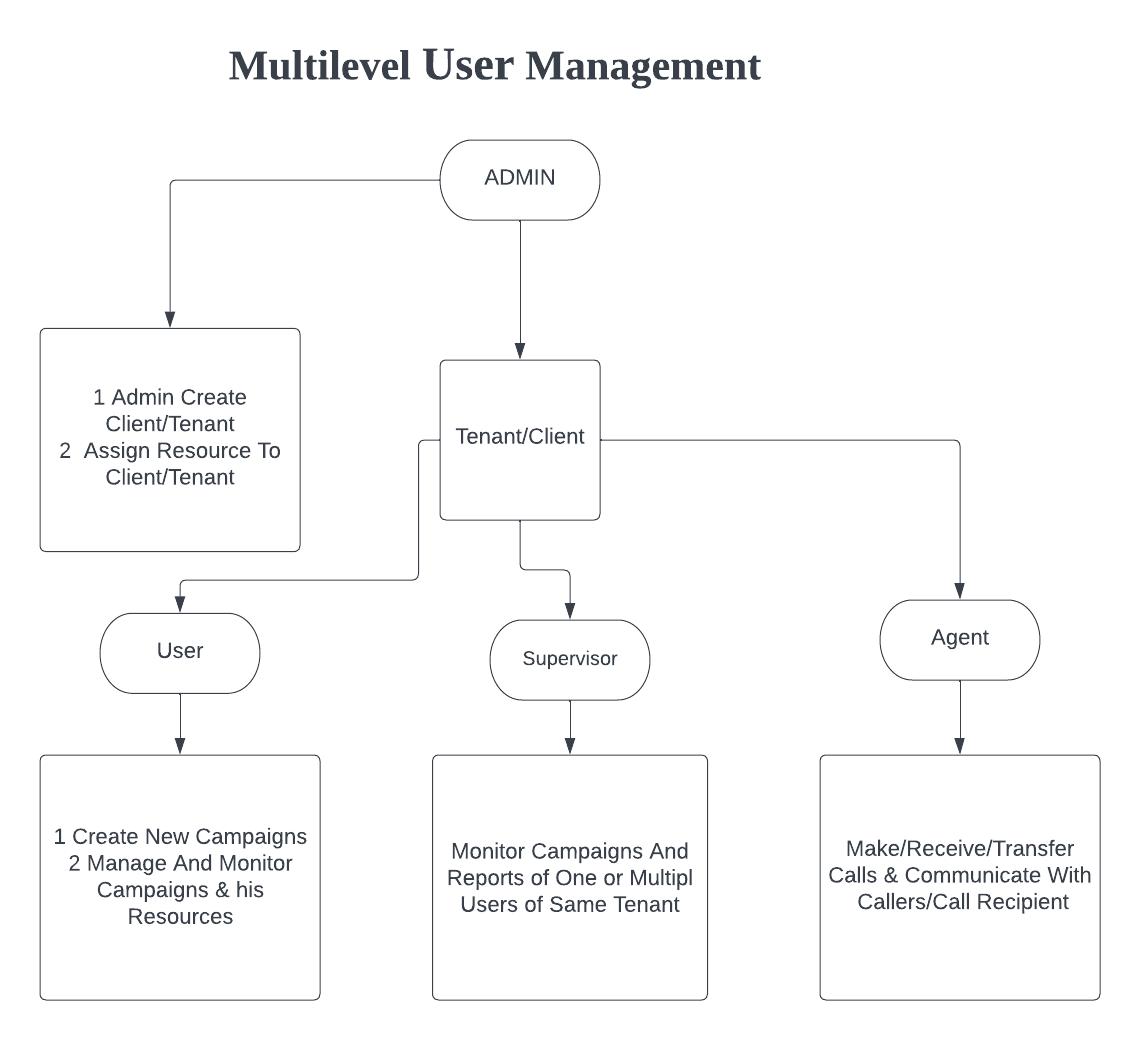
ICTBroadcast have Following roles :
Admin :
Admin is the owner of the ictbroadcast setup. Admin manages and monitors the overall ICTBroadcast setup and resources. Admin create tenant/client and allocates resources to them. Admin creates and manage over all system resources such as extensions/DIDs. Admin setup billing, set rate plan, rates, and configure trunk, routes.
Tenants/client :
tenant/client manages users, supervisor, and agent accounts. Tenant creates and manages multiple users, supervisors, and agent accounts. tenant/client assign resources to each user, such as extensions and DIDs.
user :
Users in ICTBroadcast can create new campaigns and maintain full control over their execution. They can configure campaign settings, monitor real-time performance, manage dialing strategies, and track allocated resources.
The system provides centralized control over campaign data, reports, and performance metrics, ensuring efficient execution and optimal resource utilization. With real-time insights and monitoring tools, users can make informed decisions and improve overall campaign effectiveness.
Supervisor :
Supervisors in ICTBroadcast can monitor ongoing campaigns and access detailed reports for one or multiple users within the same tenant. This allows them to track performance, review campaign progress, and ensure optimal productivity across all assigned resources. With centralized reporting and monitoring tools, supervisors can maintain full visibility and control over campaign operations within their tenant environment.
agent :
Agents make/receive/transfer calls and communicate with callers /call recipients. The agent manages inbound and outbound campaigns such as predictive, progressive, and preview campaigns.
2: User Management
ICTBroadcast Service Provider edition has four basic user roles, i.e., Administrator, Client, User, and Agent. The administrator has all the privileges, whereas the user, client, or agent has some restrictions, which include user management, trunks management, Extensions, DIDs, regions, countries, and destination management, etc.
2.1: Add New Client
Admin can create and manage client/company accounts. Admin assigns resources, DIDs, and Extensions to the client, and all users under that client can use all his resources.
Steps:
-
Open the navigation menu and select the Administration menu
-
Select the sub-menu Client management from the main menu and click on it
-
Click on the New client button from the Client list page
-
The add page will open, admin has to add/enter the required information in the desired fields
-
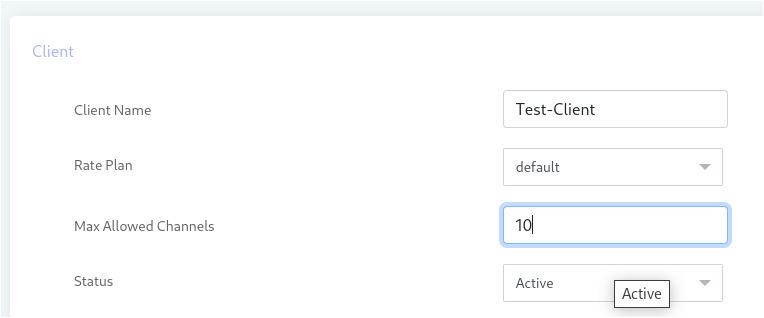
Enter client name, Select rate plan, enter maximum allowed channel, and select status as active
-
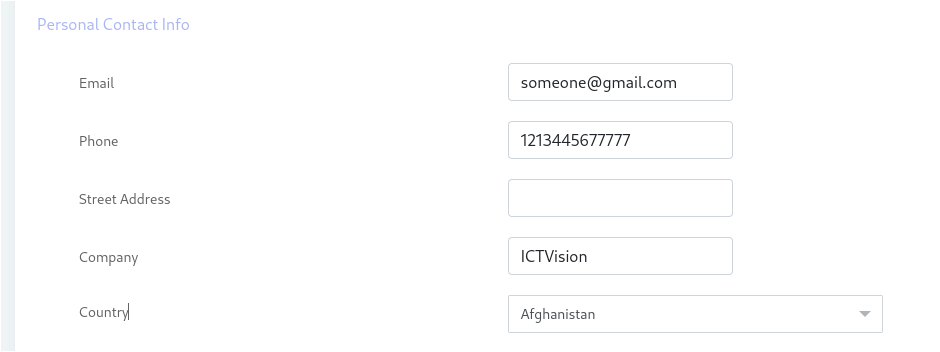
Enter personal information such as Email, phone number, Address, company name, and select Country
-
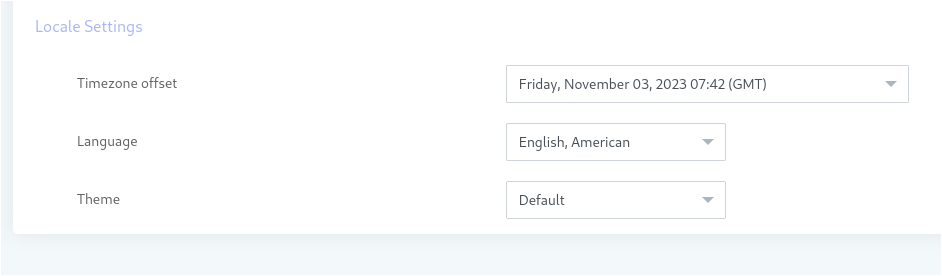
Select Time zone, Language, and Theme
2.2: Add new user
User can create and monitor his campaign. User can add contacts and recording message.
Steps:
-
Open the navigation menu and select the Administration menu
-
select the sub menu User management from main menu and click on it
-
Click on the New user button from User list page
-
Add page will open, admin has to add/enter required information in desired fields
-
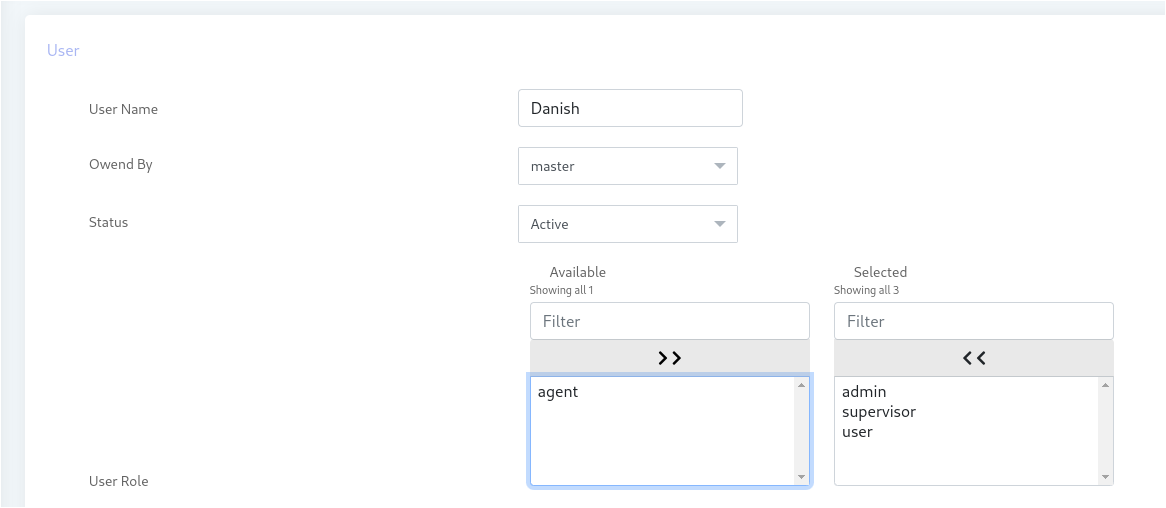
Enter User name, select Client account from owner by section
-
Select status as active and select/assign role
-
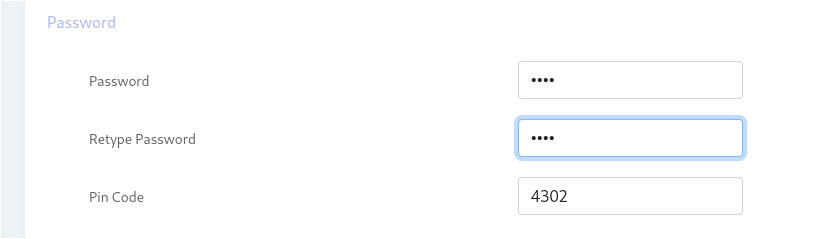
Add password, retype password and enter pin code
-
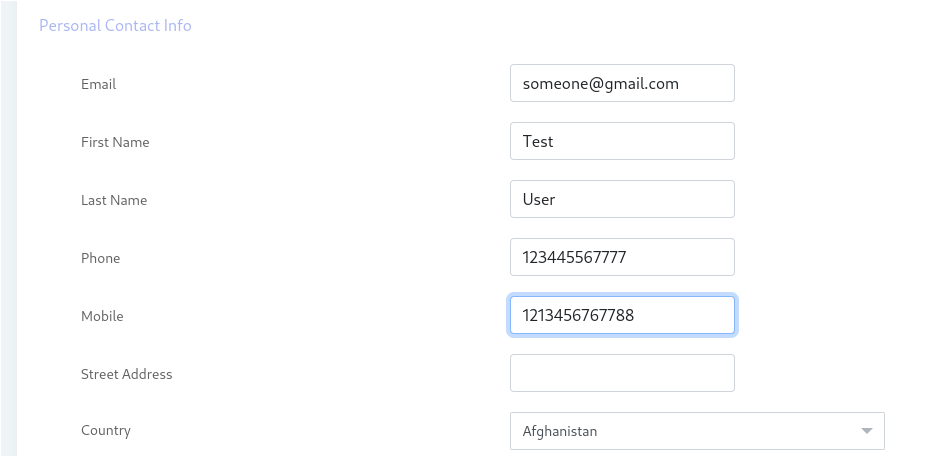
Add personal Contact information such as Email, first name, last name, phone number , address and Select country
-
Select Time zone, Language and Theme
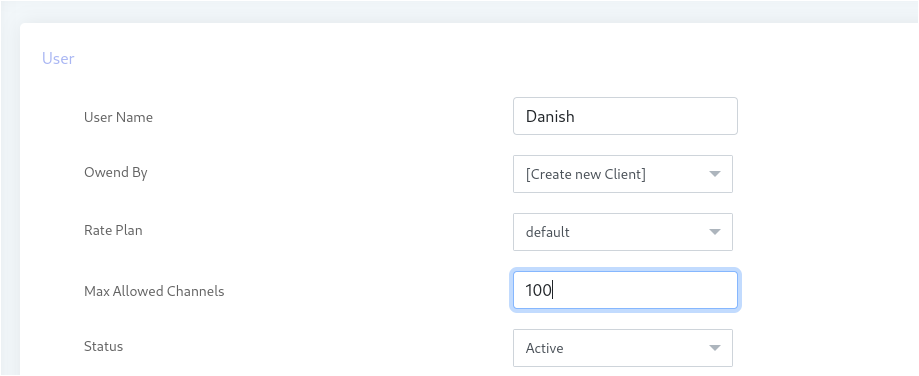
Note: User can be created as client too by selecting create new client from Owner by field.
3: Assign Resources
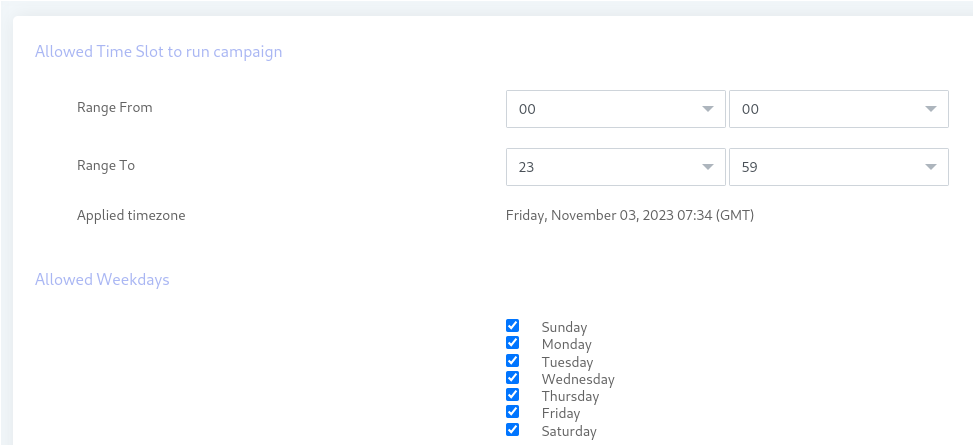
Administrator can assign resources to tenants .Assigning specific ‘Timeslot’ and Days of week to run campaigns. User will only run the campaign in the allotted Time slot and selected Days of week. Tenant and his users will run campaigns at allowed Timeslot and Days of week otherwise the running campaigns will stopped immediately.
Assign resources to Tenant/client account:
Steps:
-
Open the navigation menu and select the main menu Administration
-
Select the sub-menu Client management from the main menu and click on it
-
Select the client account from the client list page and click on the Assign DID button from the operation menu

The
-
Resource Assignment page will open, and the Admin can Allowed time slot to the Tenant/Client to run the campaign.
-
Admin can assign permission to tenant/client
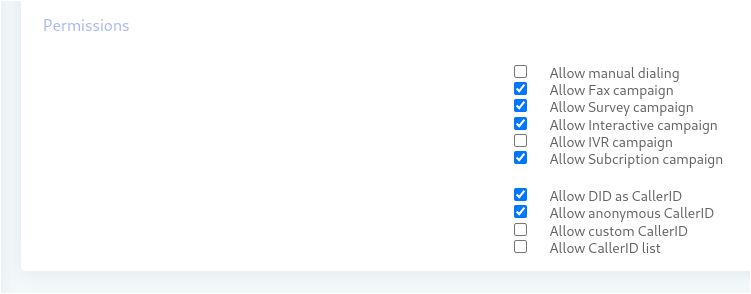
Users under the ownership of “Master account” are only applicable for resources that the Admin a assign to Master.
Multiple Campaigns type supported by ICTBroadcast