ICTBroadcast
  • HOME
  • FEATURES
  • PACKAGES
  • ADDONS
  • INSTALLATION
  • SUPPORT
  • BLOGS
Select Page

Set Up Call Queue in ICTBroadcast

To set up a queue for your call center following are the steps:

Create Queue


  • Login to ictbroadcast as admin/user
  • select the main menu Administration
  • select the sub menu Agent/Extension and click on it
  • after that click on new agent button from top right corner
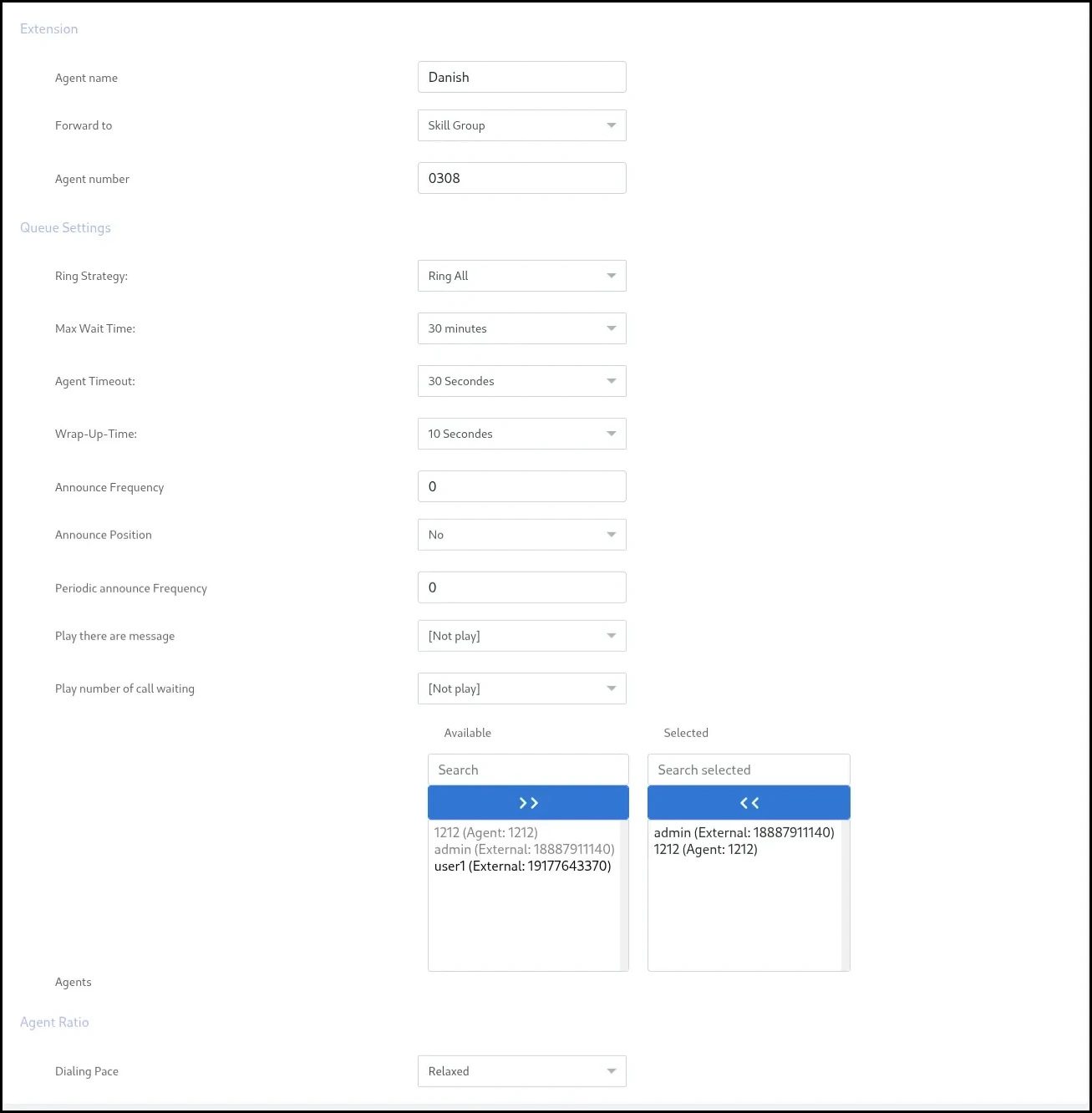
  • then select agent name and extension and forward to: Skill group then admin can create call


ICT Broadcast Extension Add


If you want to choose Agent in Forwarding view Agent Module in ICTBroadcast for information

  1. Click Save

Assign extension

Once an extension has been created, you have to assign it to a user.

  1. Choose Admin, then User Management from Menu
  2. A list of created Users will be shown, choose User and click Assign Extension
  3. The available extensions will be displayed here. Choose the extension and click Assign Selected

Create Campaign

  1. Choose Campaign from menu
  2. Click on Interactive Campaign
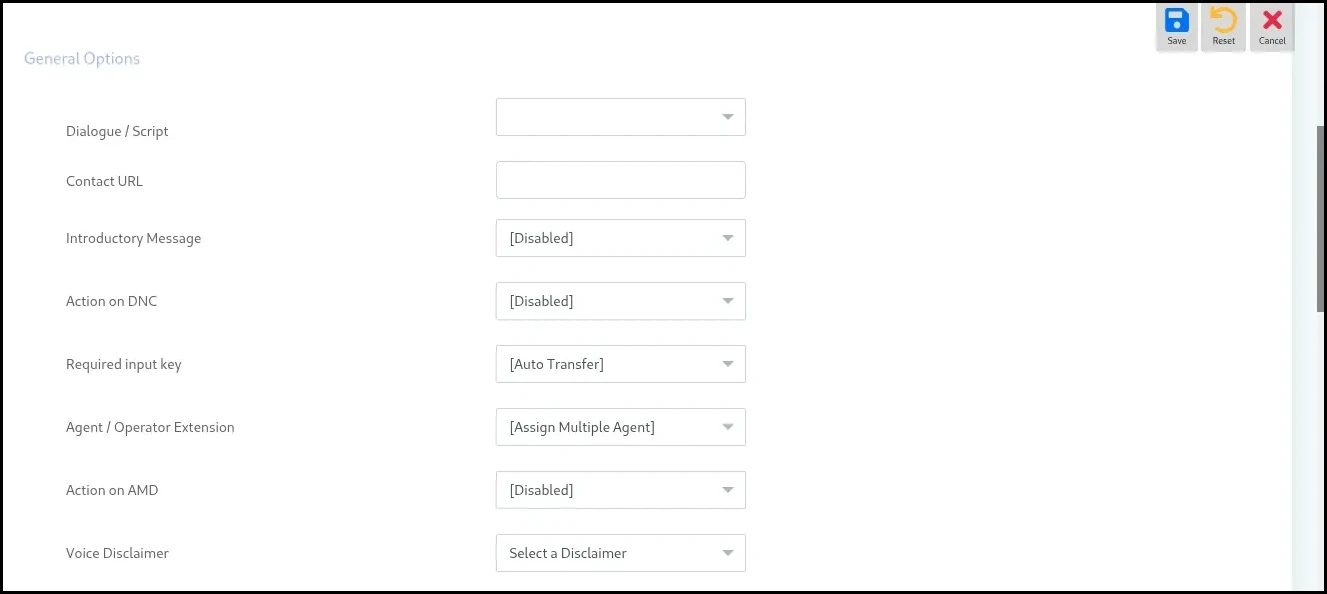
  3. Fill all the fields and in General Options, choose extension

  1. Click Save

Queue Calls with custom Music

Call Queue in ICTBroadcast

Agent Module in ICTBroadcast

NAVIGATIONS

HOME

FEATURES

PACKAGES

ADDONS

FREE TRAIL

SUPPORT

BLOGS

POSTS

Elevating Performance and Safeguarding Compliance with ICTBroadcast’s Fully TCPA Compliance Auto Dialer Software Solution

Dec 17, 2025 | auto dialer, call center

ICTBroadcast’s TCPA-compliant auto dialer is specifically designed to address this challenge, offering a powerful solution for automating outbound communication while adhering to the Telephone Consumer Protection Act (TCPA) guidelines. This ensures that businesses can...

ICTBroadcast Enterprise Version 7.0 Released, The Best Multi-tenant AI Powered Auto Dialer and Call Center Software

Oct 31, 2025 | auto dialer, call center

ICTInnovations has officially released ICTBroadcast Enterprise Edition 7.0, marking a major step forward in unified communication automation. The new version offers enhanced performance, improved scalability, and a refined user experience. As an all-in-one auto dialer...

« Older Entries

ICT PROJECTS

ICTFAX

ICTCORE

ICTDIALER

ICTCRM

ICTContact

ICTSchool

ICTUstad

ICTRoshni

CONTACT US

  • Follow
  • Follow
  • Follow
  • Follow
High-Performer
Customers-Choice-2022
Copyright ©2025| All Rights Reserved