The FTC has sent warning letters to 25 companies that market health plans or generate leads for them, just as ACA open enrollment got going. The letters remind them that prerecorded sales calls need express, informed consent, that Do Not Call numbers are off limits without consent, and that each unlawful call can cost up to $53,088. If your call center software runs health plan campaigns this season, check your lists and recordings now.
FTC staff announced the letters on 29 October 2026 and said more will go out on a rolling basis. The agency didn’t name the recipients, and the letter itself says it isn’t a finding that anyone broke the law. It’s a warning, sent at the moment when calling volume for health plans is at its peak.
What the letters say
The press release focuses on deceptive claims. It lists the patterns FTC staff keep seeing in complaints:
- misrepresenting what a plan covers or what it doesn’t
- presenting a limited benefit plan or medical discount program as comprehensive health insurance
- misrepresenting what the plan costs
- promising free offers, cash rewards or rebates for enrolling
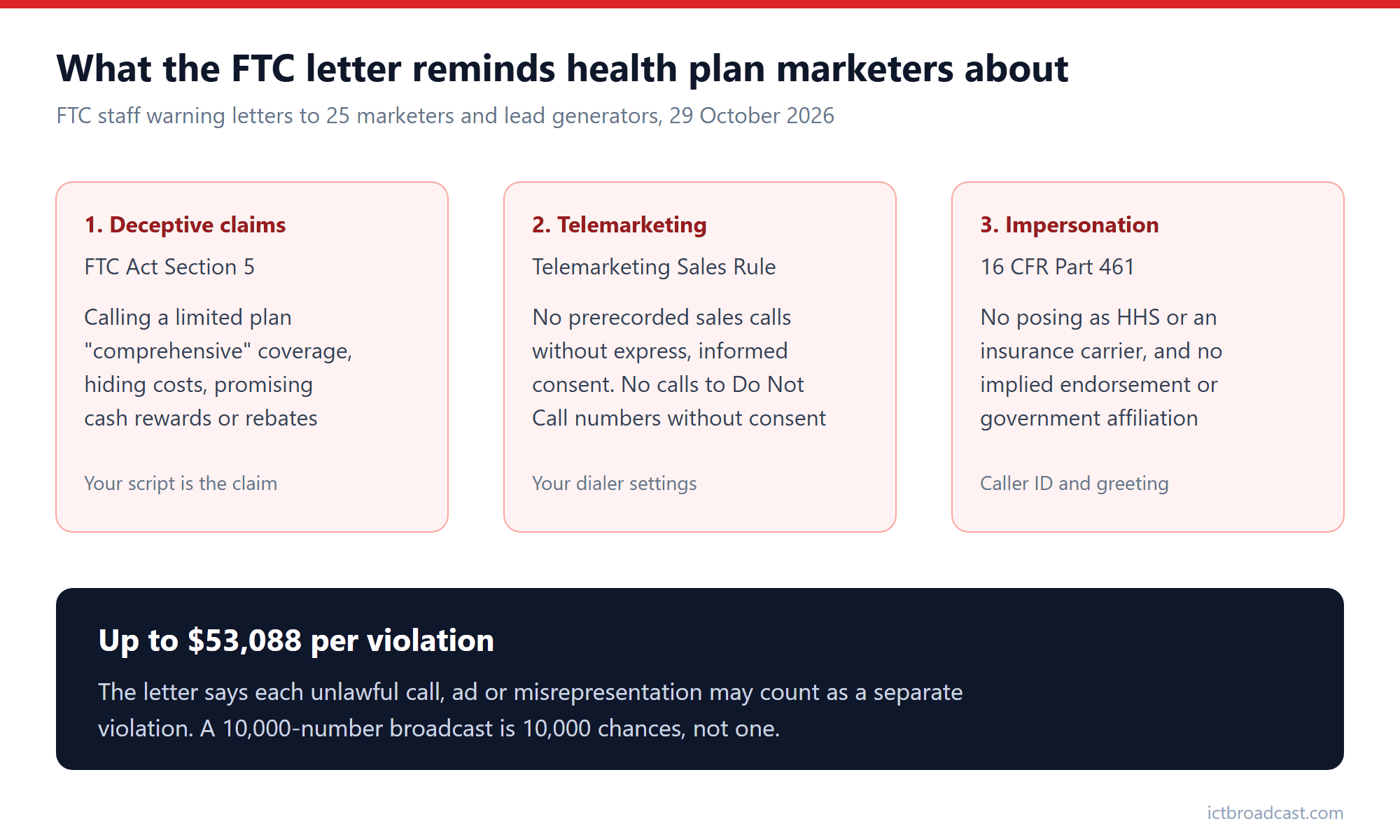
The letter template, which the FTC published alongside the release, goes further, and this is the part call center operators should read. It says consumers have also reported unsolicited calls promoting healthcare products, and then cites the Telemarketing Sales Rule. In the letter’s words, the TSR prohibits sellers and marketers from making outbound calls that deliver prerecorded messages “to induce the purchase of products, including health insurance” without express, informed consent. It also prohibits calling numbers on the National Do Not Call Registry, “absent consent or other narrow exceptions”.
The third rule in the letter is the Impersonation Rule, 16 CFR Part 461. It bans posing as a government agency, such as the Department of Health and Human Services, or as a business such as an insurance carrier. It also bans implying that you’re affiliated with or endorsed by one.
Why “per call” is the number to remember
The letter says violations can bring a federal court injunction that halts the business, plus civil penalties of up to $53,088 per violation. It then adds the line that matters most for anyone running a dialer: “each unlawful call, advertisement, or misrepresentation may constitute a separate violation”.
That changes the maths of a bad list. A voice broadcast to 10,000 numbers that lacked consent isn’t one mistake. It’s 10,000 of them. Some compliance blogs still quote an older figure of $51,744. The current letter says $53,088, so use that.
The FTC also listed past cases to show it means it. They include a $145 million settlement with Assurance IQ and MediaAlpha, a $195 million judgment against Simple Health Plans and $100 million in refunds from Benefytt. One case from this year, FTC v. Top Healthcare Options in the Southern District of Florida, is still being litigated, and the court has issued a preliminary injunction. Several of those cases involved lead generators who sold consumer details to telemarketers, which is exactly the supply chain behind many health plan call lists.
What this means for your dialing operation
If you run outbound campaigns for insurance agencies, brokers or lead buyers, the letter is a checklist in disguise. Here’s how we’d read it.
Know where every number came from
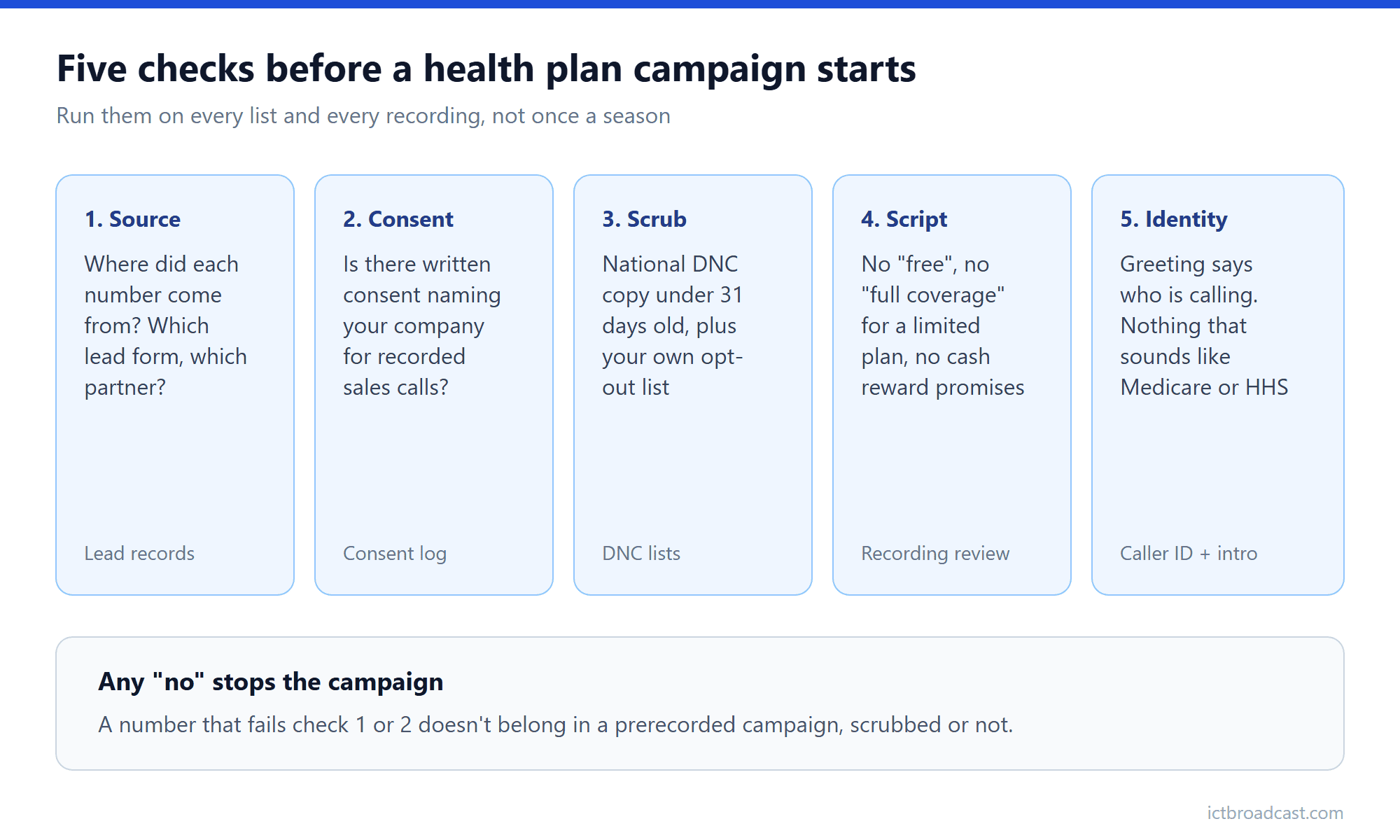
Health plan lists often pass through two or three lead sellers before they reach a dialer. The FTC has gone after lead generators before, and its letter asks recipients to review what’s said “through third-party distributors, marketing affiliates, and sales agents”. If you can’t trace a number back to the form or call where the person gave it, you can’t show consent for it.
Treat prerecorded campaigns as a separate category
A voice broadcast that plays a recorded sales message needs express, informed consent under the TSR, whatever the list looks like. Scrubbing against the Do Not Call Registry doesn’t fix a missing consent. Keep prerecorded sales campaigns to numbers with a consent record you can produce, and run everything else as live-agent calling.
Scrub every list, every time
Load a fresh copy of the National Do Not Call Registry, no more than 31 days old, and apply your own internal opt-out list on top. Check that both run against every campaign, including the small test batches people forget.
Listen to the recording and the script
The deceptive claims in the release come straight out of call scripts. “Full coverage”, “free plan” and “cash back when you enroll” are phrases worth searching for in every recording and agent script before a campaign starts. If the plan is a limited benefit or discount product, the message has to say so.
Say who’s calling
Under the Impersonation Rule, the greeting and caller ID can’t suggest you’re Medicare, HHS or a named insurer unless you are. “Calling about your health benefits” from an unnamed caller is the kind of opening that invites a complaint.
How ICTBroadcast fits in
ICTBroadcast is call center software that runs voice broadcasts, predictive and progressive dialing, SMS and email campaigns from one system. For this kind of campaign, a few parts matter.
- Two DNC lists. The Master DNC list holds registry data, such as numbers you download from the FTC’s registry, and each user’s own opt-outs go on the User DNC list. Numbers on either list are skipped automatically when a campaign runs. The DNC support page explains both.
- Recorded and live calling kept apart. A voice broadcast campaign plays a recorded message with no agents involved, while predictive dialing connects answered calls to live agents. Because they’re different campaign types, you can keep recorded messages to the lists that have consent for them. Our voice broadcast setup guide walks through it.
- Opt-out by keypress. In a voice broadcast, people who press the opt-out key are added to the DNC list automatically and won’t get future calls.
- Time zones. A campaign can apply a time zone per contact from your CSV, or one time zone for the whole campaign, so calls land inside allowed hours. See time zone restrictions on telemarketing campaigns.
What the software can’t do is decide whether a lead seller’s consent is real, or rewrite a misleading script. Downloading the registry on schedule, keeping consent records and reviewing recordings are your jobs, and each user is responsible for following federal and state law. If you’ve been following the TCPA side of consent too, our post on the robocall consent case everyone is quoting wrong covers it.
A quick test before your next health plan campaign: pick ten numbers from the list and try to show, for each one, where it came from and what the person agreed to. If you can’t do that from your own records, don’t load the recording yet.
Frequently asked questions
Who got the FTC warning letters?
FTC staff sent letters to 25 companies that market ACA Marketplace plans, limited benefit plans or medical discount programs, or generate leads for them. The FTC didn’t name them, and it says more letters will follow.
Does a warning letter mean a company broke the law?
No. The letter says it doesn’t reflect a conclusion that the recipient did anything illegal. It’s a reminder of the rules, with a note that FTC staff are watching the market and will act where needed.
Can I play a prerecorded message to health plan leads?
Only with express, informed consent for prerecorded sales calls, according to the Telemarketing Sales Rule as described in the letter. Being off the Do Not Call Registry isn’t enough on its own.
How much can each violation cost?
Up to $53,088 per violation, and the letter says each unlawful call, ad or misrepresentation may count separately. A federal court can also order a business to stop operating or pay refunds.
Does this apply only to ACA plans?
No. The letter covers ACA Marketplace insurance and other healthcare products such as limited benefit plans and medical discount programs, and the TSR and Do Not Call rules apply to telemarketing generally.