
In ICTBroadcast, users can customize messages for SMS and Email campaigns. ICTBroadcast users can use the following tokens in their message
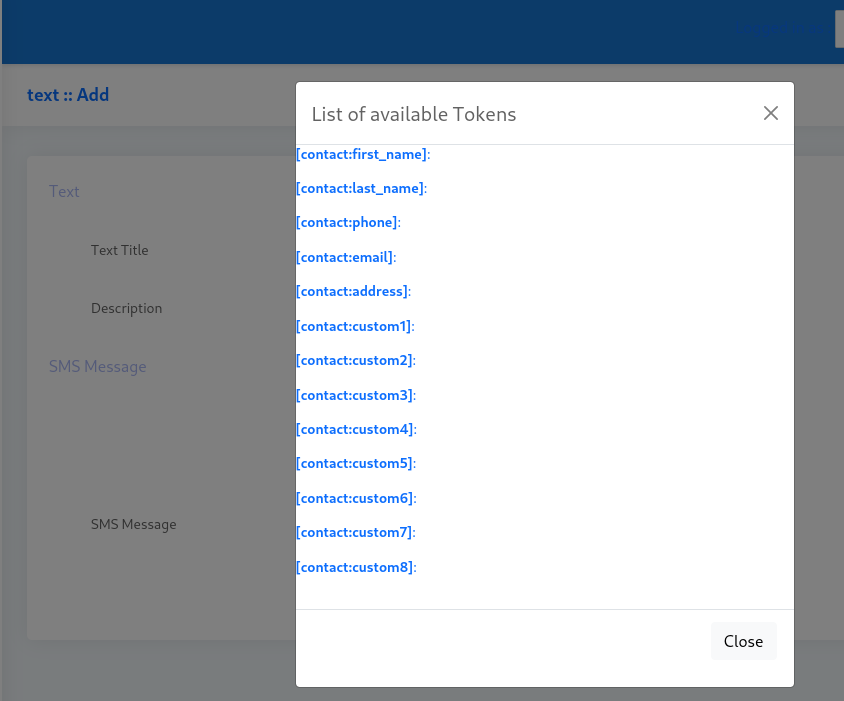
Following tokens are available for each type of campaign: [campaign:callerid] [campaign:callerid_name] [contact:first_name] [contact:last_name] [contact:phone] [contact:email] [contact:address] [contact:custom1] [contact:custom2] [contact:custom3] [contact:description]
How to use tokens in SMS Campaign 1. Create a contact group from the “Contacts” menu and add contacts into that newly created group. 2. Create a Text message from the “Messages” menu. 3. Now users can create an SMS campaigns with a contact groups and text messages.
While creating SMS (Text) message, user can use above mentioned token variables to send a custom message to each contact / prospect. For example: “Hi [contact:first_name] [contact:last_name] this if a notification message from Company/Bank to inform you that your current balance is [contact:custom1] “
In above example, values of [contact:first_name], [contact:last_name], [contact:custom1] will be replaced at their places. Similarly, you can use any of the above mentioned token variables.
Transactional & Promotional Messages
You can send Transactional & Promotional SMS through the ICTBroadcast SMS Campaign.
Transactional SMS is the one that sends important information like booking and order alerts to its registered users. This type of SMS is not intended for marketing.
Promotional SMS is for marketing. These SMS are used to send offers, discount promotions to new and existing customers.
Message Delivery Support in SMS Campaign
Message Delivery Support in SMS Campaign provides a delivery report every time a message is delivered to a number. The purpose of the Delivery report of a message is to notify the user if the message has been sent or not.